AI Workflow Builder for Business Teams: The 2026 Buyer’s Guide

Every ops lead has had the same 2 a.m. thought: too many manual handoffs, not enough hours in the day. An AI workflow builder for business teams fixes that gap. It lets non-technical teams design, automate, and run multi-step processes using plain English instead of code. Instead of rigid, rule-based scripts, these tools deploy AI agents that read context, weigh conditions, and hand off tasks across the apps you already use.
Adoption backs this up. Nearly nine out of ten organizations now say they regularly use AI in at least one business function, per McKinsey’s 2025 State of AI survey. The workflow layer is where most of that value shows up. This guide breaks down what an AI workflow builder does, who actually needs one, and how to pick the right platform this year.
What Is an AI Workflow Builder for Business Teams?
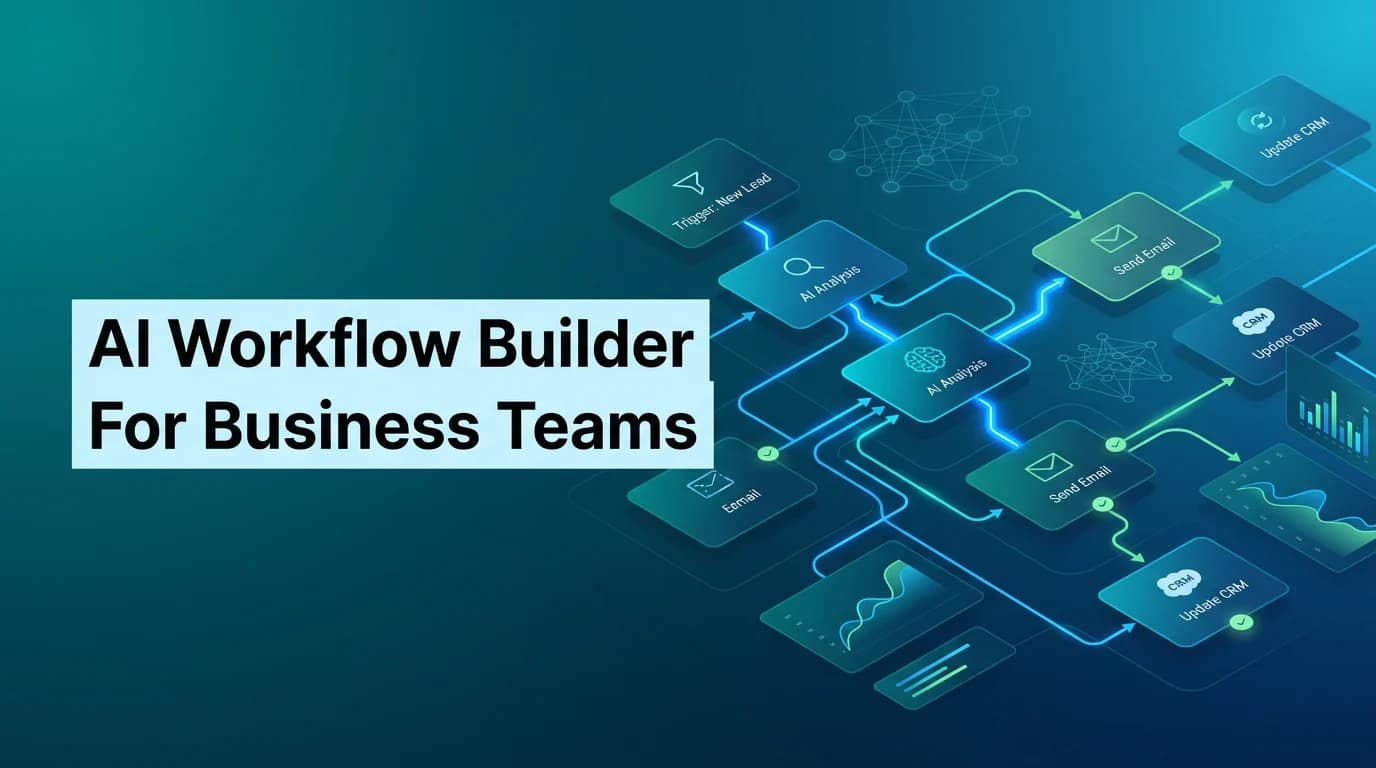
An AI workflow builder for business teams is a no-code (or low-code) platform for connecting tasks, data, and decisions into one automated flow. You drag a trigger onto a canvas, connect it to an AI step, and route the output wherever it needs to go. No engineering ticket required.
The “AI” part matters. A workflow builder doesn’t just move data from A to B. It reads an email, pulls context from your CRM, drafts a reply, and flags anything unusual for a human to review. That’s a meaningfully different capability than a basic if-this-then-that automation.
Most platforms share a common building-block model:
- Triggers – a new form submission, an incoming email, a calendar event
- AI steps – summarization, data extraction, scoring, classification
- Integrations – your CRM, inbox, spreadsheet, or Slack channel
- Outputs – a drafted email, an updated record, a Slack alert
Stack enough of these together and you’ve replaced a chunk of what used to require a junior analyst.
Take a real example. A signup triggers a workflow that researches the company, summarizes what it does, scores the lead, and posts a formatted alert to Slack. It even drafts a personalized outreach email as a draft in your inbox. That’s not five separate tools bolted together. It’s one connected workflow running in the background, with a human making the final call before anything gets sent.
AI Workflows vs. Traditional Automation: What Actually Changed
Traditional automation runs on fixed rules. When X happens, do Y — every time, the same way. It’s reliable for stable, high-volume tasks like sending a receipt or routing a support ticket by keyword. But it breaks the moment a process gets messy or the input doesn’t match the template.
AI-driven workflows behave differently. They read context, make judgment calls, and adapt when conditions shift. A traditional automation routes a billing complaint based on a keyword. An AI-driven one reads the complaint, checks the account history, and decides what to do next. For a deeper breakdown of where each approach fits, see this comparison of agentic AI vs. traditional automation.
That extra intelligence isn’t free. Gartner predicts that over 40% of agentic AI projects will be canceled by the end of 2027, largely due to unclear value or weak planning. The lesson isn’t to avoid AI workflows. It’s to start with a clear use case, not a shiny demo.
Who Actually Needs an AI Workflow Builder?
Almost every department has at least one repetitive, multi-step process worth automating. This isn’t just a U.S. trend, either — North America leads adoption today, but SMBs across the Asia-Pacific region are catching up fast, and enterprise teams in the EU are close behind. Here’s where U.S. teams typically see the fastest payoff:
| Team | Common Use Case | Typical Time Saved |
| Sales & RevOps | Lead research, enrichment, and outreach drafting | 5–10 hours/week per rep |
| Marketing | Content repurposing, campaign reporting | 6–8 hours/week |
| HR & Recruiting | Resume screening, candidate outreach | Up to 45% faster time-to-hire |
| Customer Support | Ticket triage, response drafting | 20–40% faster resolution |
| Operations | Approval routing, document processing | 10–20 hours/week |
If a process can be written as a numbered list — “do these eight things in order” — it’s a strong automation candidate. The global AI automation market reflects how fast this is scaling: it’s valued at roughly $129.9 billion in 2025 and is projected to reach $169.5 billion in 2026, according to Grand View Research.
Top AI Workflow Builders to Compare in 2026
Your tech stack, compliance needs, and team’s technical comfort level should drive this decision. Here’s how the major approaches stack up:
| Platform | Best For | Trade-off |
| Zapier | Fast, simple app-to-app automations | Limited for complex, multi-agent logic |
| Make (Integromat) | Visual, complex multi-step workflows | Steeper learning curve for beginners |
| n8n | Technical teams needing self-hosting and deep API control | Requires developer resources |
| Airtable AI | Ops teams already living in Airtable | Best inside Airtable’s own data model |
| Microsoft Power Automate | Microsoft 365-centric workplaces, including Teams-native workflows | Less flexible outside the Microsoft ecosystem |
| Isometrik Agent Studio | Teams that want a no-code builder plus dedicated build support | Newer to the market than legacy automation tools |
None of these platforms is universally “best.” A five-person startup and a 500-person enterprise ops team need very different things from an AI workflow builder for business teams. Startups usually want speed and a low learning curve. Enterprises tend to prioritize governance, audit logs, and integration depth across a larger, messier tech stack.
DIY builders are great when your team has the bandwidth to design, test, and maintain workflows in-house. If you’d rather have a partner build and tune the multi-agent workflow with you — sales outreach, recruiting pipelines, support triage — the Isometrik AI Agent Builder gives you the same visual, no-code canvas with hands-on implementation support baked in. It’s worth a look if your last DIY automation stalled out mid-build; see how it stacks up against other no-code AI agent platforms.
How to Choose the Right AI Workflow Builder
Compliance requirements are the factor teams underestimate most. A U.S. healthcare company needs HIPAA-ready data handling. A team with European customers needs to think through GDPR. A financial services team likely needs SOC 2 and detailed audit trails before legal will sign off.
Before you commit budget, run every candidate through this checklist:
- Ease of use: Does your team need a visual canvas, or will a prompt-based builder work?
- App ecosystem: Does it natively connect to Salesforce, Slack, Gmail, or Asana?
- Security & compliance: Do you need self-hosting, SOC 2, or enterprise-grade SSO?
- Scalability: Can it run hundreds of workflow instances without breaking?
- Human-in-the-loop controls: Can you require approval before an AI agent takes action?
- Support & onboarding: Will you build this alone, or with implementation help?
For a broader framework on evaluating AI tools by category, check out this decision framework for choosing AI tools. It’s especially useful if you’re comparing more than just workflow builders — content tools, CRMs, and voice agents included.
Rolling It Out Without Slowing Your Team Down
Most failed automation projects don’t fail on technology. They fail on scope and follow-through. Teams often try to automate an entire department on day one, hit a snag with messy data or a missing integration, and quietly abandon the whole initiative.
Start small on purpose. A single working automation — say, drafting personalized outreach emails after a demo request — builds internal trust faster than an ambitious, company-wide rollout that stalls in testing.
A phased rollout keeps momentum without overwhelming your team:
| Phase | Timeline | Focus |
| Audit | Week 1 | Document 3–5 repetitive, high-volume processes |
| Pilot | Weeks 2–4 | Automate one workflow end-to-end, with human review built in |
| Measure | Weeks 5–6 | Track time saved, error rate, and adoption |
| Scale | Month 2+ | Extend the workflow to more teams or add subflows |
Once one workflow proves out, the next four are easier to justify. Track a simple before-and-after: hours spent, error rate, and how long the process used to take. Those numbers make the case for budget far better than any product demo.
Choosing the right AI workflow builder for business teams isn’t about picking the flashiest tool. It’s about matching a platform to your stack, your compliance needs, and how much hands-on support your team actually wants.
Whether you build it yourself with Zapier or n8n, or bring in a partner through the Isometrik AI Agent Builder, the goal is the same: fewer manual handoffs, more hours back in your team’s week. For a step-by-step launch plan, this guide to getting started with AI automation tools walks through the full rollout in detail.